1.7 KiB
1.7 KiB
| title | order |
|---|---|
| Tips and Tricks | 99 |
Something's not working and you want to know how to fix it? Hopefully this page got you covered.
Preface
As a general rule: don't disassemble any of the modules, ever! This also applies to experienced VOC people!
Everything which needs to be accessed can be reached without violence, especially in the lectern module.
Lecture Module
No Signal at Projector
- Try another HDMI cable
- Try to use the projector without the lectern module
- If nothing helps, you can extend the tray all the way and use different ports
No Audio from the Speaker Laptop
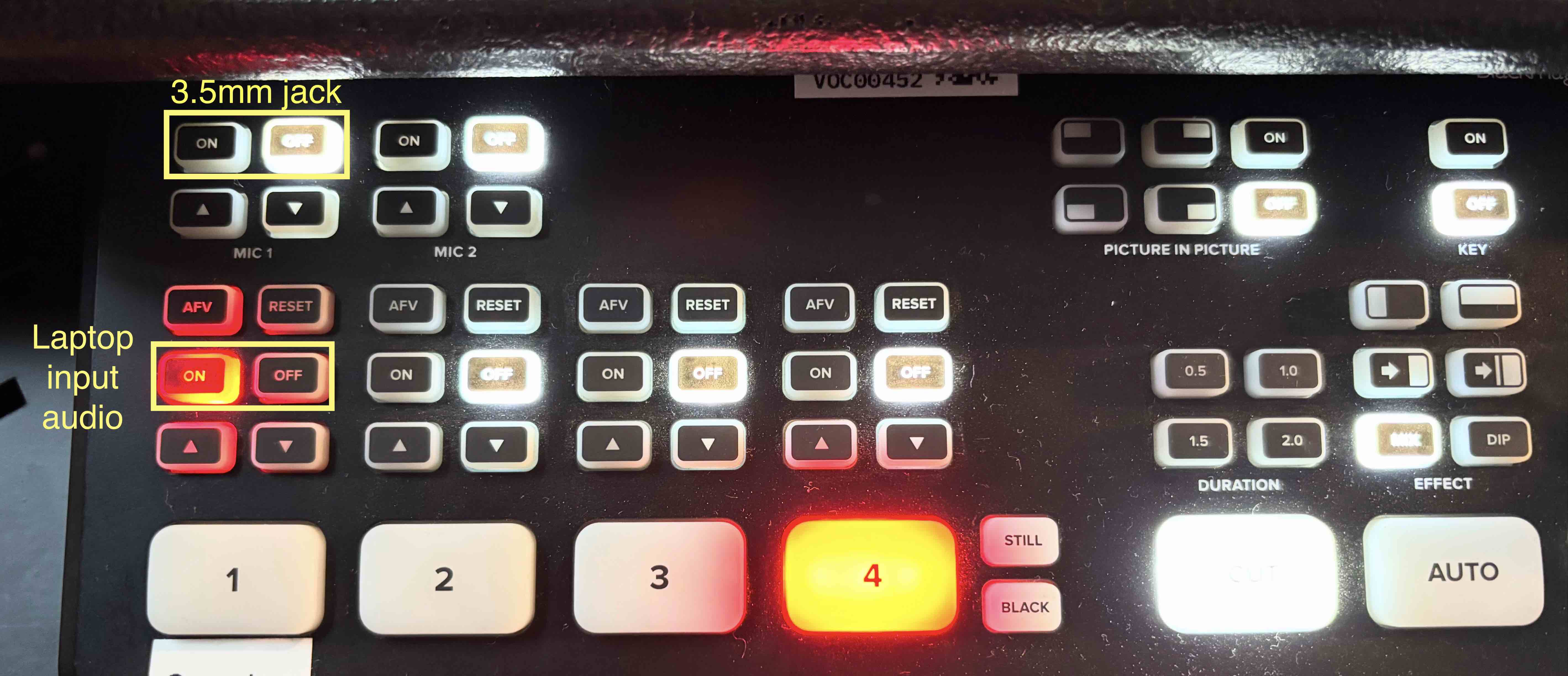
- Turn on the correct audio source on the ATEM mini:
- 3.5mm jack: Turn on "MIC 1"
- HDMI audio: Turn on input 1 ("ON" button is shining red or "AFV" is enabled)
- Other inputs should be off when not needed
Noise/ Humming from the Speaker Laptop/ Lectern Module
- Turn off the 3.5mm jack input "MIC 1" on the ATEM mini
Fully Extend the Tray
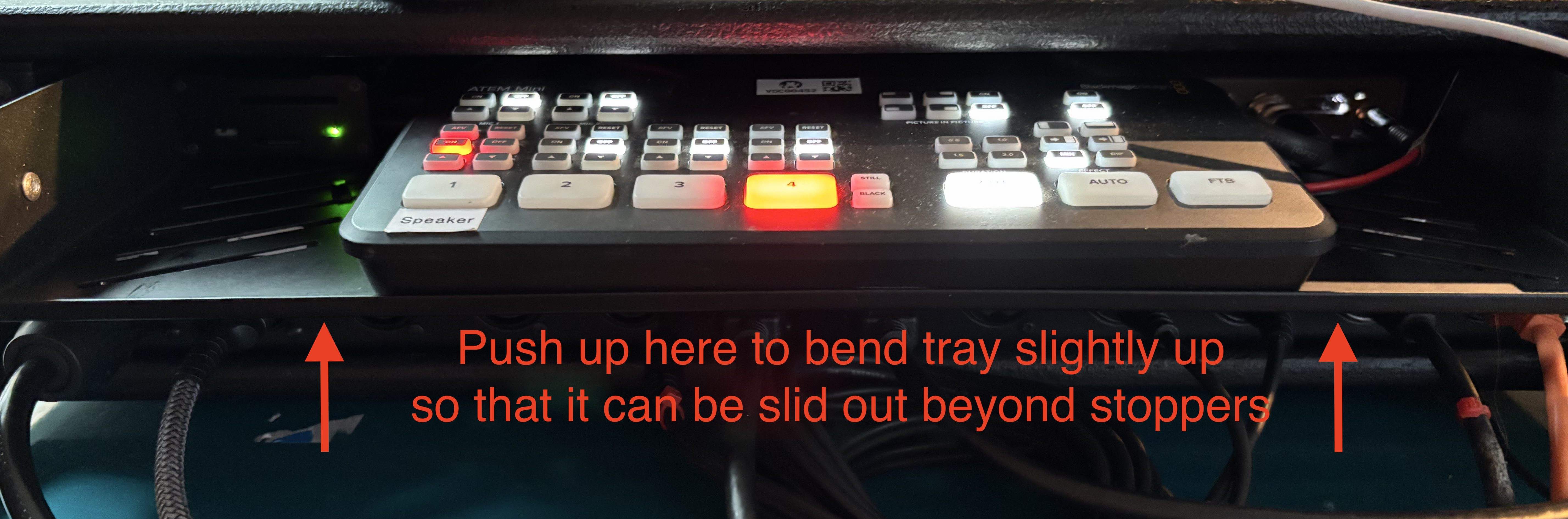
The lectern module's tray has some cable ties as stoppers which prevent it to be fully extended. If the tray is pulled out too much, the cables to the I/O panel will probably get dislodged and will cram up between rack tray and network switch! So do not pull out the tray more than needed!
In case you need to reach the additional ports (HDMI and secondary SDI) of the UpDownCross, you can get over the stoppers with these steps:
- Pull tray out until stoppers are reached
- Place your hands with 4 fingers below the tray and the thumb on top
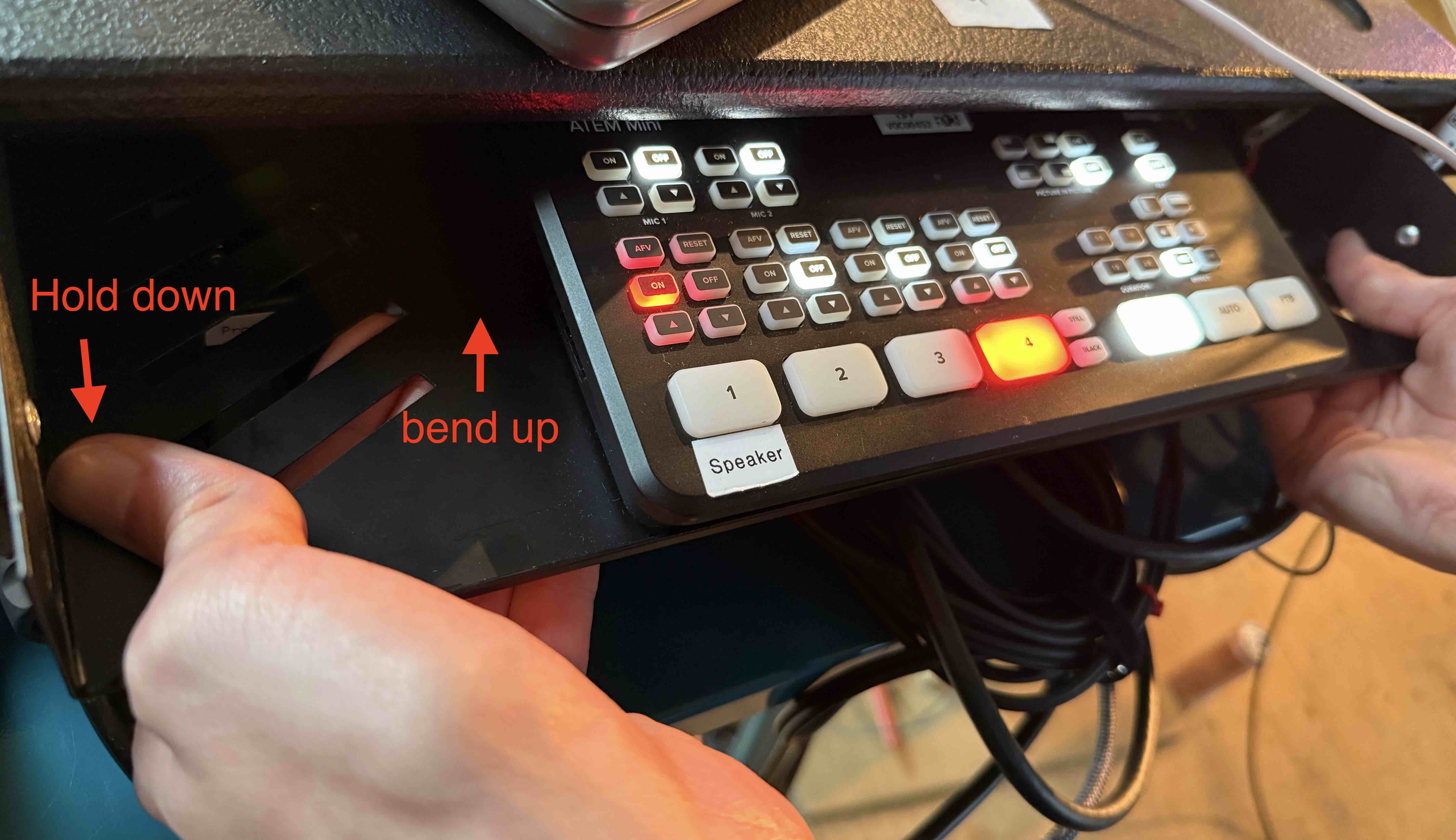
- Press up next to the cable tie stopper until it goes past the I/O panel below